


Color Match
4.47.86K Reviews
App Specs
- Version
- 3.90
- Updated On
- License
- Free
- Downloads
- 50,000,000+
- Developer
- Supersonic Studios LTD
- Categories
- Casual
- Platform
- Android, iOS
Screenshots

 Analysis by AppCompare
I enjoy casual games that give me a clear little challenge without asking me to learn a complicated system, and Color Match has a satisfying idea at its center: getting a mixed color close to the color of a real object. That simple comparison is what makes each round feel more thoughtful than tapping through a routine puzzle. I find myself looking carefully, making a guess, and then deciding whether my next adjustment is actually better.
A small color challenge with a clear goal
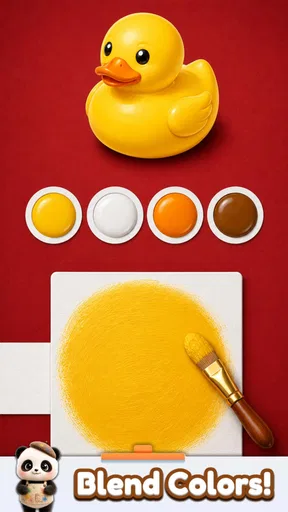
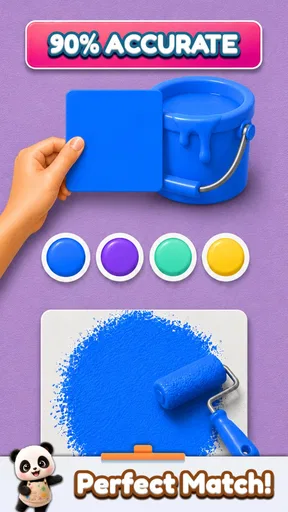
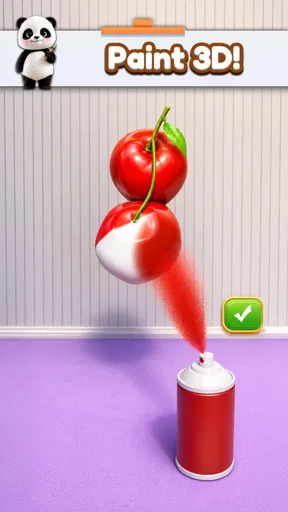
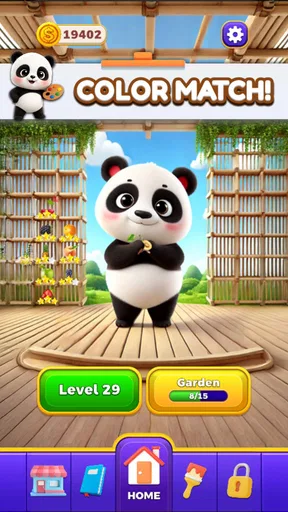
Color Match is a free casual game from Supersonic Studios LTD, built around mixing colors on a sheet and comparing the result with an object. It has an average rating of 4.4 from around 547,000 ratings, and it has been installed over 50 million times. Those figures fit the game’s broad appeal: the idea is easy to understand even if you have never thought much about color theory.
What I like about the core challenge is that it gives ordinary observation a purpose. A red object is not simply “red”; it may lean warmer, darker, or less saturated than the first color that comes to mind. Trying to notice those differences makes a quick round feel like a tiny exercise in visual judgment. You are not expected to be an artist. The fun comes from seeing whether your eye can get close.
The game is rated Everyone, so its basic premise is suitable for a wide audience. I would still describe it as a light pastime rather than a drawing course or a professional color tool. Its appeal is the compact task of matching, not a promise to teach a complete creative workflow.
How I approach each comparison
I get the most out of a round when I resist the urge to make a dramatic change after every look. I first judge the target by its broad family—such as a warm red or cool blue—and then pay attention to whether it seems lighter, darker, duller, or more vivid than my mixture. That gives each adjustment a reason, instead of turning the task into random color fiddling.
A useful habit is to compare the mixture and the object in quick alternation rather than staring at one for a long time. Prolonged looking can make subtle differences harder to judge, while a brief switch helps me notice whether the mixture is drifting too bright or too muted. When the target includes several visible tones, I focus on the main impression rather than getting distracted by a small shadow or highlight.
This is also why I would not treat every close match as a test of artistic talent. Screens and surrounding colors can affect how a shade appears, and people may simply perceive a borderline difference in different ways. I use my result as feedback for the next attempt, not as proof that my eye is either good or bad at color.
Worth Reading Before You Choose

EA SPORTS FC Mobile 26 Is a Bigger Football Game, but It Takes Time

Flipboard Shows What News Apps Must Do Beyond the Feed

Switching to Android Auto Means Rethinking Your Driving Routine

Google Calendar Makes a Crowded Week Easier to Manage

Ludo King Makes the Most of the Minutes Between Plans

Baby Panda World Brings Quick Play to Modern Phones, but Its Game Library Feels Busy
Where it fits into an ordinary day
Color Match works best for me in the gaps that are too short for a longer game: waiting for a drink, taking a quick break between tasks, or sitting down for a few minutes when I want something more active than scrolling. The objective is immediately legible, so I can start without reading a long explanation or remembering a complicated sequence from a previous session.
It can also make a quiet moment more engaging for a parent and child or for friends sitting together. One person can make a color choice while another guesses whether it needs to be warmer or lighter. That kind of informal back-and-forth suits the game’s visual premise, though I would not expect it to function as a structured lesson or a full multiplayer experience.
A practical tip is to play when you can give the screen a moment of attention. If you are walking, talking through a meeting, or glancing at the game in harsh glare, judging close shades becomes less satisfying. It is still a casual game, but the central task depends on looking carefully, so a calmer pause makes a real difference.
What the simple premise does—and does not—offer
Compared with familiar casual alternatives such as match-three puzzles or number-based brain teasers, this game puts visual estimation at the center rather than pattern clearing or arithmetic. That makes it a refreshing change when I am tired of chasing a board objective. It also means it may be less compelling for someone who wants a steadily expanding strategy system, a story, or a long list of mechanics to master.
The trade-off is that a focused concept can feel repetitive if you want every session to introduce a new kind of problem. The pleasure comes from refining judgment within the same basic activity, so players who need varied modes or a strong sense of progression may lose interest sooner. I would choose a broader puzzle game if I wanted more kinds of challenges; I would choose this one when I specifically wanted a quick visual task.
Color matching is also subjective in a way that makes the game approachable but not always perfectly satisfying. Two shades can look nearly alike, and the difference may be hard to judge on a small display or in bright surroundings. Rather than chasing a supposedly flawless result every time, I find it more enjoyable to make a deliberate estimate and accept that close calls are part of the challenge.
Who is likely to enjoy it
I would recommend it to people who like short, self-contained casual games and to anyone curious about how small changes in hue, brightness, and saturation affect a color. It is especially well suited to a player who wants to exercise attention without taking on a demanding game. You do not need drawing experience, specialist vocabulary, or a plan for a long session to understand what makes a round work.
It is a weaker fit if your main goal is to create finished illustrations, organize professional palettes, or learn color theory in depth. A dedicated art or design tool is the better choice for those jobs because this game’s central appeal is making a match, not building a full creative workspace. Likewise, someone who dislikes judging visual differences may find its main challenge more frustrating than relaxing.
The game’s current version is 3.85 and it requires Android 7.1 or later. It is free to start, with in-app purchases ranging from $2.99 to $12.99 per item. I would think about purchases in terms of whether I am enjoying the basic color challenge first; there is little reason to spend just to find out whether the central idea suits me.
Getting Started with Your Palette
When you first open Color Match, you’re greeted with a simple yet inviting interface. It’s super user-friendly, making it perfect for both new users and seasoned artists. You don’t need to be tech-savvy to navigate through the app, which is a huge relief for someone like me who tends to get lost in complicated menus.
The app’s main feature is, of course, the color matching. You can use your camera to take a picture of anything that catches your eye, and Color Match will break down the exact color palette for you. It’s like having a little color scientist in your phone! You can even save these palettes for later, which is great for when inspiration strikes at random times.
Exploring Features
Let’s talk features. The app isn’t just about finding colors; it’s also about exploring them. You can delve into a library of pre-made color palettes if you’re feeling a bit stuck or just want to browse through beautiful combinations. Trust me, scrolling through these can be a bit addictive.
One of my favorite features is the ability to adjust colors. You can tweak hues, saturation, and brightness to get the exact shade you’re dreaming of. This kind of customization is perfect for artists who know exactly what they want or for those happy accidents when you stumble upon a new favorite color.
Creating Your Masterpiece
Once you've got your colors, it’s time to create! The app includes a basic drawing tool that lets you sketch out ideas using your saved palettes. While it’s not as advanced as some dedicated drawing apps, it’s perfect for quick doodles or getting a concept down before you forget it.
For those who want to take their art a bit further, Color Match allows you to export your palettes to other applications. This is a game-changer if you like to refine your work using more advanced software. Plus, the app integrates seamlessly, making the transition smooth and painless.
Staying Connected and Inspired
One of the best parts about Color Match is its community aspect. You can share your palettes with others and see how they’re using them in their own creations. It’s a great way to get inspired and maybe even collaborate with other artists. The app also features a section for trending palettes, so you can keep up with what’s hot in the art world.
And let’s not forget about the tutorials. Whether you’re a beginner or just looking for new techniques, the app offers guides and tips to help you improve your skills. It’s like having a mini art class whenever you want it.
Final Thoughts
Overall, Color Match is a fantastic tool for anyone interested in color theory, digital art, or just looking to have some creative fun. It’s an app that’s as useful for professionals as it is accessible for beginners. The ability to capture and recreate colors from real life is genuinely impressive, and the app’s simplicity makes it a joy to use.
If you’re looking to dive into the world of color with a handy digital palette by your side, give Color Match a try. Your inner artist will thank you!
Pros
- Intuitive interface for easy use.
- Huge palette of colors to explore.
- Seamless color matching technology.
- Regular updates improve functionality.
- Low battery consumption during use.
Cons
- Limited free features without purchase.
- Occasional lag on older devices.
- Ads can be intrusive at times.
- Requires internet for full features.
- High storage space can be required.
FAQs for Color Match
What is Color Match and how does it work?
Color Match is an intuitive puzzle game available on both Android and iOS platforms. The game challenges players to match colors by adjusting various hues, saturations, and brightness levels. With different levels of difficulty, it offers a range of challenges that cater to both casual gamers and those seeking a more complex experience.
Is Color Match free to play, or are there in-app purchases?
Color Match is free to download and play, but it does offer in-app purchases. These purchases can enhance gameplay by unlocking additional levels, removing ads, or providing special hints. While the core game is accessible for free, these optional purchases can enrich the gaming experience.
What are the system requirements for Color Match?
For Android users, Color Match requires a device running Android 5.0 or higher. iOS users need a device with iOS 10.0 or later. Both platforms recommend at least 100MB of free storage space to ensure smooth installation and performance. Regular updates might require additional space over time.
Does Color Match require an internet connection?
Color Match can be played offline, making it ideal for users who are on the go or in areas with limited connectivity. However, an internet connection is needed for downloading updates, accessing online leaderboards, and making in-app purchases. Offline play ensures uninterrupted gaming anywhere.
Is Color Match suitable for children?
Yes, Color Match is suitable for players of all ages, including children. Its simple and colorful interface makes it appealing and easy to understand. However, parents should be aware of optional in-app purchases and ensure that parental controls are in place to prevent unauthorized transactions.


